 AISOLUTIONS
Documents with context
Company records, invoices, bank statements and reports have distinct categories, previews and linked details.
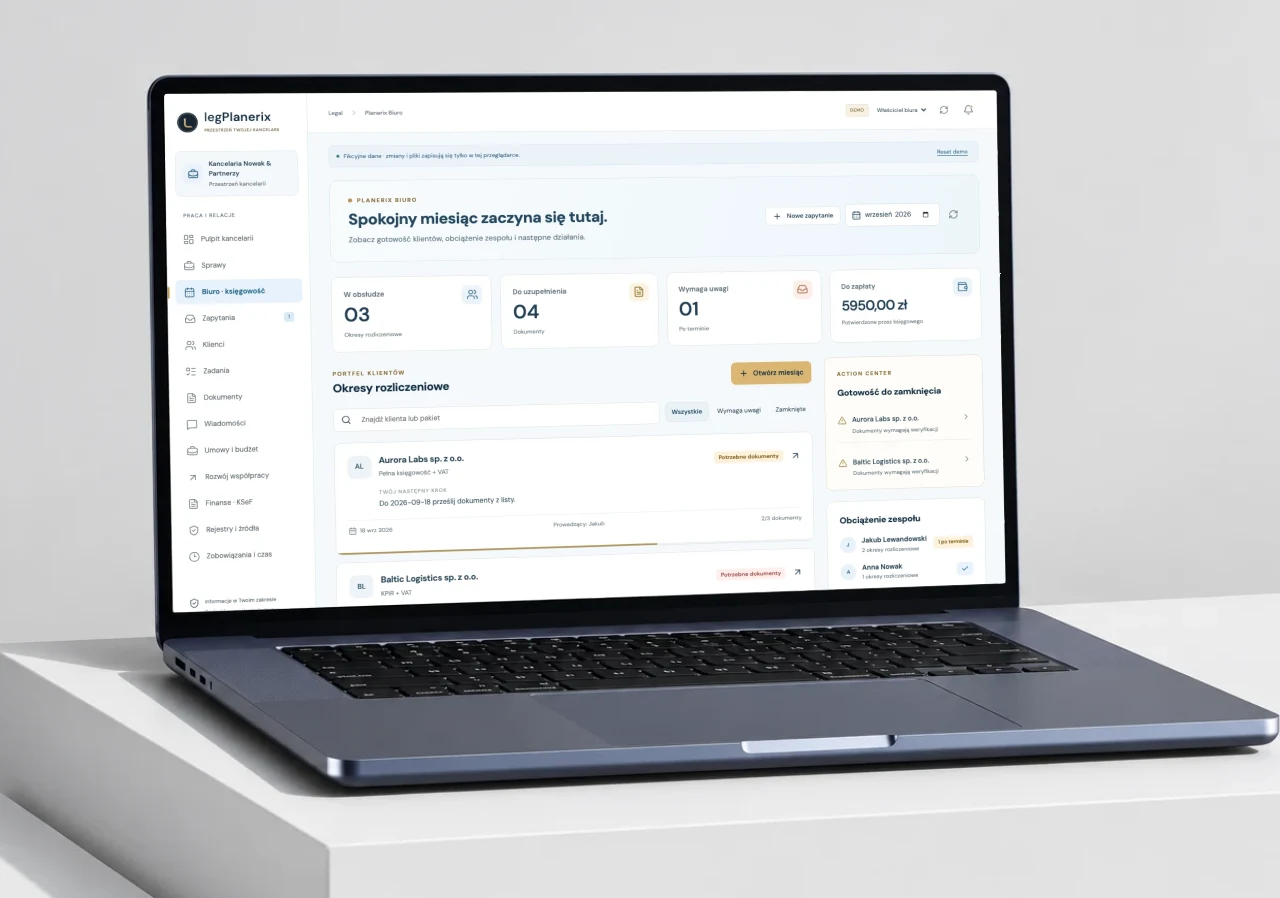
 Planerix LEG
Accounting & professional services
A shared workspace for accounting firms and their clients: documents, finances, deadlines and communication.
The business
Closing the month takes more than collecting invoices. Clients need to know what is missing, what is payable and what has reached the accountant. Firms need a clear view across their assigned clients.
Organize work around companies, projects, documents and accounting periods. Connect document status, financial reconciliation, deadlines and conversations so that each side can see what needs attention.
Identity, Access & Document Workflows / Planerix LEG / Biuro
Accountants and clients need a shared view of documents and balances without exposing another company’s financial records.
Give clients and accountants a shared month-end process while preserving explicit access to each company and its financial records.
CompanyscopeDocumentDocumentevidencePaymentAccounting periodgroupsDocumentNative scanning, PDF text/OCR and KSeF XML parsing retain original document versions alongside extracted fields. InsERT supplies selected read-only invoice records.
Decimal calculations and reconciliation connect amounts, payment evidence and VAT workpapers. KRS, CEIDG, REGON, VAT, VIES, NBP and ELI adapters add official context when configured. Preparation and government acceptance remain separate.
Company-finance grants and document permissions protect sources. AI citations, chat, calendar and reminders retain company context; changed versions invalidate stale evidence.
Company-finance grants are separate from general workspace membership. A document graph adds explanatory context while reconciled records remain the source for totals.
Opening the source document triggers its own access check. Document status, provider payment evidence and bank confirmation are kept distinct to avoid treating an intermediate state as a settled balance.
LEG build 22 client/accountant demonstrations and documented company grants, document access and reconciliation contracts support the described workflows.
Mobile document scanning, invoice parsing, financial analysis, official-source connections, chat and accounting tasks share one company workspace. Accountants retain review and reporting decisions.
Founder & Product Architect · business model, system design, web and iOS
Connections and access are configured per company. Demonstration screens do not expose client documents; regulatory certification and measured accounting savings are not asserted.
A workflow in practice
The client sees documents, payments and deadlines. The accountant works with the same company context and can follow what still needs attention.
Bring invoices, company records and statements into the right period.
Compare payment evidence with documents and surface the remaining gaps.
Open the source, ask a question or follow up with the accountant.
Review document readiness and the contents of the reporting package.
What this makes possibleDocuments, outstanding balances and the next task can be explored from the same company workspace.
Adapt the same pattern for professional services, document-heavy operations and client portals.
Build on this pattern02 / Inside the system
Company records, invoices, bank statements and reports have distinct categories, previews and linked details.
Separate sales and purchases, outstanding balances and payments that need reconciliation.
A calendar, tasks and report packages support document readiness and communication with the accounting firm.
An AI chat helps explore available records with references to the underlying sources.
03 / Product in focus
Open a screen to take a closer look.
Actual product interfaces, shown with demonstration data or existing public marketing content.
The connected ecosystem
Bring familiar software into the way you run your business. Connections are set up around your workflows.

Invoices & counterparties
Polish e-invoices

Payment reconciliation

Accounting workflows
Tailored connection
Document workflows
Tailored connection
Invoice workflows
Tailored connectionTailored connections are scoped for your business before setup.
Discuss your softwareProduct names and logos belong to their respective owners.